TN3270E + TN5250 Terminal Emulator for macOS
Native Cocoa. CoreText rendering. Full TN3270E and TN5250 negotiation.
Connect to IBM Mainframes (z/OS, z/VM, z/VSE) and IBM i (AS/400) — for free.
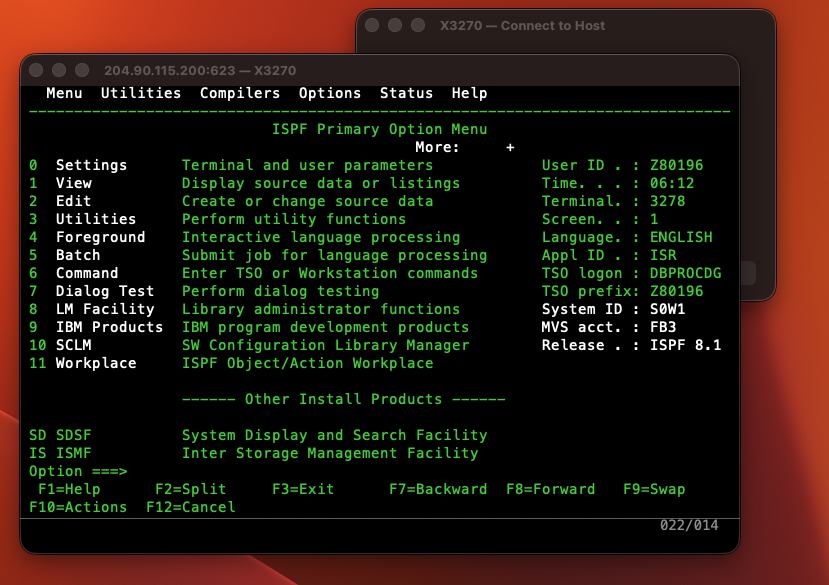
ISPF 8.1 Primary Option Menu — connected to IBM ZExplore at 204.90.115.200:623
Every decent TN3270 or TN5250 client for macOS either costs $50–$100+, requires Java, or hasn't been touched in a decade. DX3270 handles both protocols in one native app.
Built on Cocoa, CoreText, and CoreGraphics. Renders like a Mac app because it is a Mac app. Apple Silicon and Intel binaries.
OpenSSL powers implicit TLS (TLS 1.2+) on any port. Connect to z/OS, z/VM, z/VSE or IBM i — encrypted or plain Telnet.
Full TN5250 engine: GDS framing, WTD command, 32-entry IBM colour table, non-display password masking, field navigation, AID transmission. One app, two protocols.
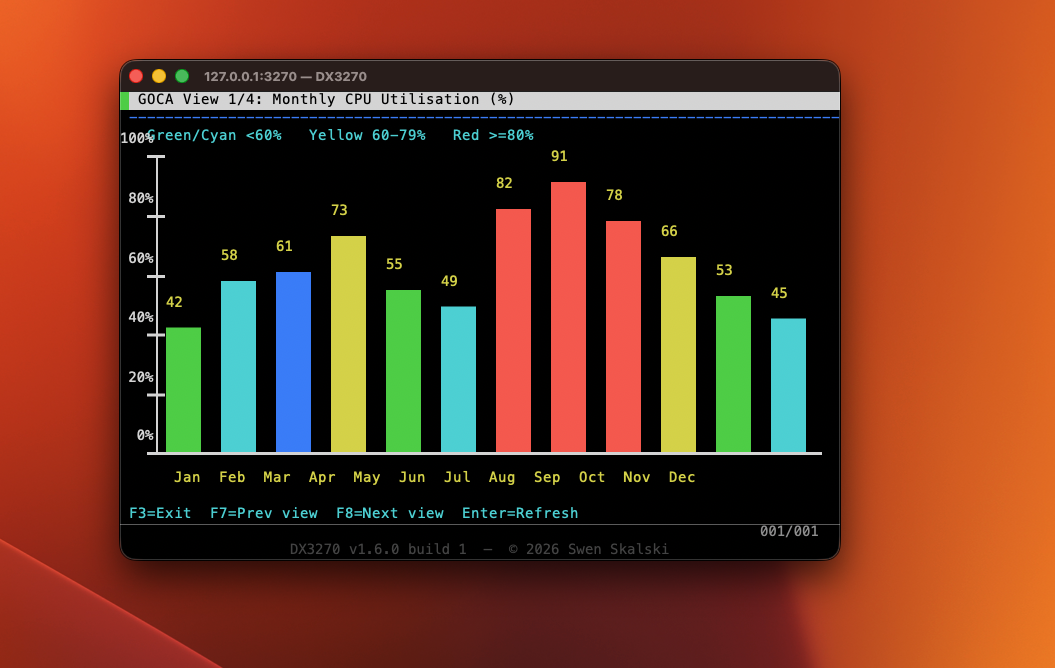
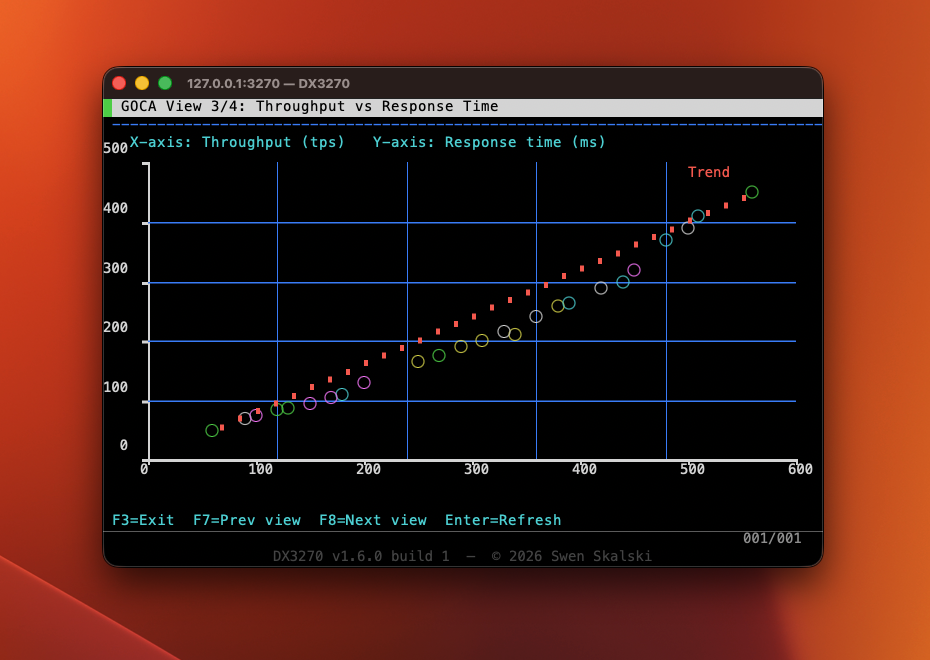
Full GOCA order-stream decoder renders charts, diagrams, and topology maps as CoreGraphics overlays — no plugin needed.
MIT license. Source on GitHub. No subscriptions, no dongles, no activation keys. Just a terminal emulator that works.
Full TN3270E negotiation, proper AID key codes per IBM GA23-0059, Query Reply with colour/highlight structured fields. ISPF and AS/400 logon just work.
Model 2–5 plus a non-standard 62×160 large model. Dynamic Usable Area Query Reply, 14-bit buffer addressing.
| Feature | Details |
|---|---|
| Protocol | TN3270E (RFC 2355) with automatic fallback to classic TN3270 and TN5250 for IBM i — selectable per connection |
| Security | Plain Telnet and implicit TLS (TLS 1.2+) on any port via OpenSSL |
| Screen Models | Model 2 (24×80) · Model 3 (32×80) · Model 4 (43×80) · Model 5 (27×132) · Large (62×160) |
| EBCDIC | CP037 (US), CP500 (International), CP1047 (Open Systems) |
| 5250 Colours | Full IBM SA21-9247 32-entry table — Green, White, Red, Turquoise, Yellow, Pink, Blue × Reverse, Underline, Blink, NonDisplay, ColSep modifiers |
| 5250 Fields | FFW1/FFW2/FCW field attributes, inline attribute bytes, non-display password masking, MDT tracking, Tab/BackTab, field-length enforcement |
| 3270 Colours | IBM 3279 seven-colour palette, extended attributes (SA/SFE), per-cell background fill, reverse video, underscore |
| GDDM/GOCA | FILRECT · FULLARC · CGPOS/CLCS · SCOL · SMIX · BSEG/ESEG · LNPOS/LNAT — CoreGraphics vector overlay |
| Keyboard | PF1–PF24, PA1–PA3, Clear, Reset, Tab/BackTab, ErEOF, Insert, arrows — correct IBM AID codes for both 3270 and 5250 |
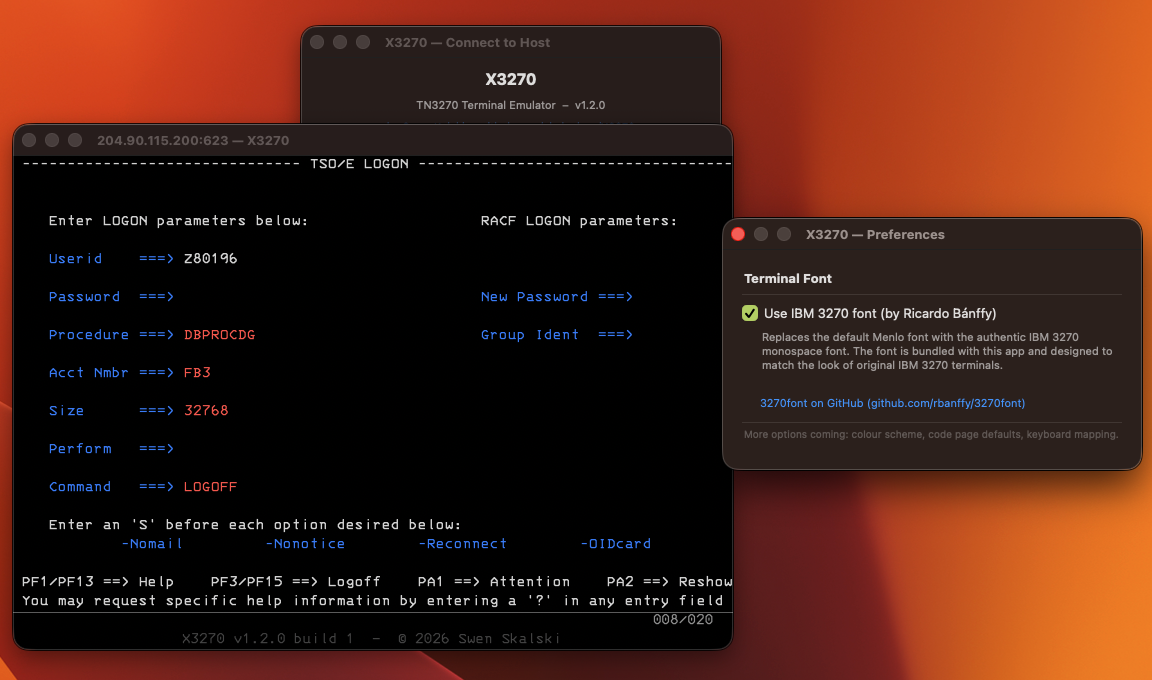
| Font | Menlo (default) or bundled IBM 3270 font by Ricardo Bánffy (SIL OFL). Switchable live in Preferences. |
| Query Reply | Read Partition Query with Colour, Highlighting, and GOCA Data Streams structured fields |
| Export | Save Screenshot as PNG (⌘⇧P) · Export Screen as UTF-8 Text (⌘⇧T) |
| Diagnostics | Traffic Monitor — live hex/ASCII dump of all Telnet bytes (⌘⇧D) |
| Connection History | Last 20 hosts stored in NSUserDefaults; selects port, TLS, CA bundle, code page automatically |
| macOS | 12 Monterey and later · Apple Silicon (ARM64) + Intel (x86_64) |
Pre-built DMGs are published automatically on every push to main via GitHub Actions.
M1, M2, M3, M4 and later. Native ARM64 binary — instant launch, no Rosetta. TN3270E and TN5250 in one app.
Download DMG2019 Macs and earlier. Cross-compiled from Apple Silicon using Clang's native x86_64 support. Full TN3270E and TN5250 support.
Download DMG (Intel)DX3270 is currently unsigned. After dragging to /Applications, open System Settings → Privacy & Security and click Open Anyway. Or run once in Terminal:
sudo xattr -r -d com.apple.quarantine /Applications/DX3270.app
Download the DMG for your Mac architecture. Open it and drag DX3270.app to /Applications.
macOS will block an unsigned app. Go to System Settings → Privacy & Security → Open Anyway, or run the xattr command above.
Select TN3270E for IBM Mainframes (z/OS, z/VM, z/VSE) or TN5250 for IBM i (AS/400). IBM ZExplore is at 204.90.115.200:623; a free public IBM i is at pub400.com:23.
ISPF, TSO, and IBM i sessions all work out of the box. PF keys, Tab navigation, password fields, and multi-colour attributes all behave exactly as expected.
# Install dependencies
xcode-select --install
brew install openssl@3 cmake
# Clone and build (Apple Silicon)
git clone https://github.com/el-dockerr/X3270.git
cd X3270
cmake -B build -DCMAKE_BUILD_TYPE=Release
cmake --build build
open build/DX3270.app
| F1–F12 | PF1–PF12 |
| ⇧F1–⇧F12 | PF13–PF24 |
| ⌥1 / ⌥2 / ⌥3 | PA1 / PA2 / PA3 |
| Return | Enter (AID) |
| Escape | Reset (3270) / Attention (5250) |
| ⌥Escape | Clear screen |
| Tab / ⇧Tab | Next / previous input field |
| ↑↓←→ | Cursor movement |
| Insert | Toggle insert mode |
| ⌥Delete | Erase to End of Field |
| ⌥E | Erase Input (all unprotected) |
| ⌘N | New Connection |
| ⌘, | Preferences |
| ⌘⇧P | Save Screenshot |
| ⌘⇧T | Export Screen as Text |
| ⌘⇧D | Traffic Monitor |
| ⌘/ | Keyboard Shortcuts window |